
Groove Eater
Take any MIDI beat in your set and see its groove, step by step — then edit it, bend it, or feed it to your own drums. A Drum Rack step sequencer that edits the real clip.
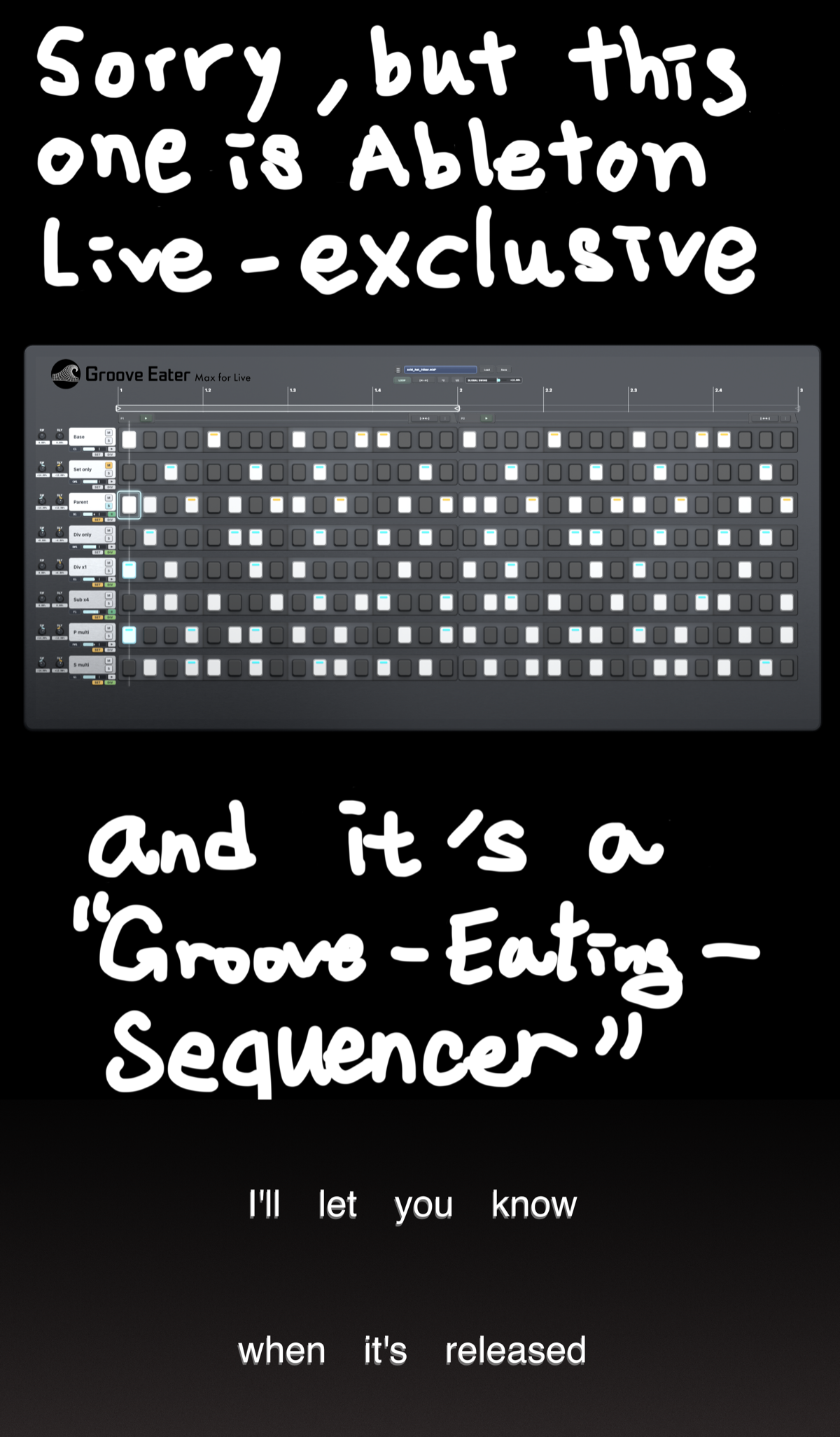
See it in action
Full walkthrough with sound — sequencing, groove capture and per-step timing edits.
Steal the groove
Select a reference MIDI clip and its micro-timing lands on the grid — visible, per step, editable. Not a black-box template.
Clip-as-truth
No hidden engine — the grid is your Arrangement clip, edited in place on Drum Rack pad lanes. Close the device and the music stays.
Groove control
Continuous floating-point timing on every step, up to 256 steps — 32nds and 64ths stay editable at 170+ BPM. That Dilla / Kaytranada feel.
Groove Eater is the only drum step sequencer for Ableton Live that turns a reference clip's groove into per-step timing you can see and edit on the grid — and writes it back to the real Live clip, not into a groove-template percentage.
Get Groove Eater
- Groove Eater device (.amxd) + license key
- Free updates for life
- Email support from the developer
Launching soon — checkout opens at release.
Requirements & format
- Ableton Live
- Ableton Live 12.3 or later
- Max for Live
- Max 9 (bundled with Live 12)
- Edition
- Live 12 Suite, or Live 12 + Max for Live add-on
- Format
- .amxd (Max for Live device)
- Delivery
- Instant download after checkout
- Updates
- Free lifetime updates
Questions
Isn't Live's piano roll already floating-point?
It is — but it isn't a step surface: no per-pad lanes, no per-step groove view, and no way to capture another beat's timing. Groove Eater keeps piano-roll precision on a drum grid, with the groove visible.
How is this different from Extract Groove?
Extract Groove turns a beat into a percentage template you apply blind. Groove Eater shows the captured micro-timing per step, on the grid, where you can edit every offset before or after applying it.
Do I need Live Suite?
You need Max for Live: Live 12 Suite includes it, and Live 12 Standard works with the Max for Live add-on.
Does it work with my drums?
Groove Eater is built around Drum Rack pad lanes on its own track — load it on the track you sequence and it edits that track's clip.
Can it steal the groove from an audio loop?
Groove Eater reads MIDI clips. For audio, convert it first with Live's built-in audio-to-MIDI (right-click the audio clip), then import the resulting MIDI clip.
What if it's not for me?
There's a 14-day money-back guarantee. Read the refund policy